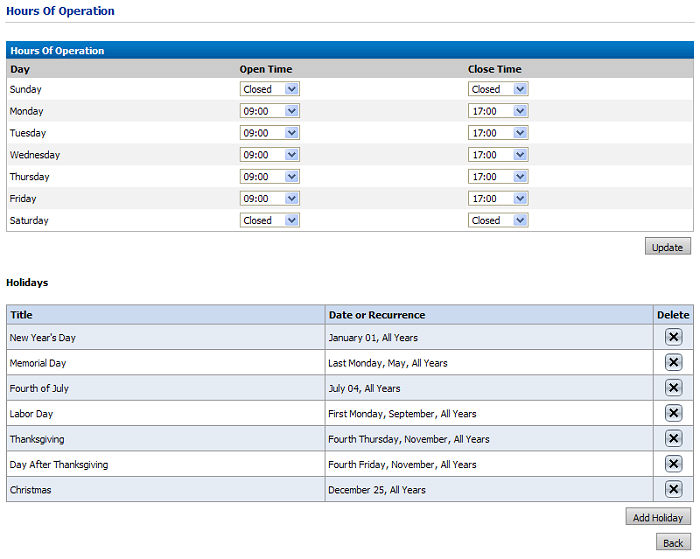
1 On the Hours of Operation page, click Edit.
2 Adjust the Open Time and Close Time as needed.
3 Click Update when you are finished.
4 In the Holidays section, click Add Holiday.
5 On the Holiday Schedule page:
● Enter a Title of the holiday you are adding.
● Enter either a fixed date for holidays that occur on the same date each year (such as Christmas, which is observed each year on December 25) or a varying day for holidays that fall on varying dates (such as the United States’ Thanksgiving, which is observed on the third Thursday in November each year).
● Click Save to save your changes.
● Click Back to return to the Hours of Operation page.
● Click Back to return to the Print Shop page.